The Artima Developer Community
Sponsored Link

Java Buzz Forum
Java Tutorial : Java IO (LineNumberReader Constructor accepts reader and buffer size)

0 replies on 1 page.

Welcome Guest
  Sign In

Go back to the topic listing  Back to Topic List Click to reply to this topic  Reply to this Topic Click to search messages in this forum  Search Forum Click for a threaded view of the topic  Threaded View   
Previous Topic   Next Topic
Flat View: This topic has 0 replies on 1 page
Ram N

Posts: 2777
Nickname: ramram
Registered: Jul, 2014

Ram N is Java Programmer
Java Tutorial : Java IO (LineNumberReader Constructor accepts reader and buffer size) Posted: Sep 22, 2016 6:21 AM
Reply to this message Reply

This post originated from an RSS feed registered with Java Buzz by Ram N.
Original Post: Java Tutorial : Java IO (LineNumberReader Constructor accepts reader and buffer size)
Feed Title: JAVA EE
Feed URL: http://ramj2ee.blogspot.com/feeds/posts/default?alt=rss
Feed Description: This blog has viedo tutorials and Sample codes related to below Technologies. 1.J2EE 2.Java 3.Spring 4.Hibernate 5.Database 6.Oracle 7.Mysql 8.Design Patterns
Latest Java Buzz Posts
Latest Java Buzz Posts by Ram N
Latest Posts From JAVA EE

Advertisement
myfile.txt
Welcome
Hello
Bye
LineNumberReaderDemo.java
import java.io.FileReader;
import java.io.LineNumberReader;

/*
* public LineNumberReader(Reader in, int sz)
*
* Parameters:
* ----------
*
* in - A Reader object to provide the underlying stream.
* sz - An int specifying the size of the buffer.
*/

public class LineNumberReaderDemo
{

public static void main(String[] args) throws Exception
{
LineNumberReader lineNumberReader = null;
FileReader fileReader = null;
try
{
int bufferSize = 1024;
fileReader = new FileReader("myfile.txt");
/*
* Create a new line-numbering reader, reading
* characters into a buffer of the given size.
*/

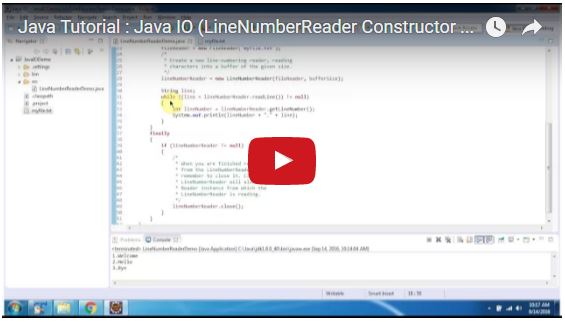
lineNumberReader = new LineNumberReader(fileReader, bufferSize);

String line;
while ((line = lineNumberReader.readLine()) != null)
{
int lineNumber = lineNumberReader.getLineNumber();
System.out.println(lineNumber + "." + line);
}
}
finally
{
if (lineNumberReader != null)
{
/*
* When you are finished reading characters
* from the LineNumberReader you should
* remember to close it. Closing a
* LineNumberReader will also close the
* Reader instance from which the
* LineNumberReader is reading.
*/

lineNumberReader.close();
}
}
}
}
Output
1.Welcome
2.Hello
3.Bye

Click the below link to download the code:
https://sites.google.com/site/ramj2eev1/home/javabasics/JavaIODemo_LineNumberReaderDemo_Cons_App.zip?attredirects=0&d=1

Github Link:
https://github.com/ramram43210/Java/tree/master/BasicJava/JavaIODemo_LineNumberReaderDemo_Cons_App

Bitbucket Link:
https://bitbucket.org/ramram43210/java/src/8270b2c7cbb37f975ee9fc66e47a041db3aa4063/BasicJava/JavaIODemo_LineNumberReaderDemo_Cons_App/?at=master

See also:

  • All JavaEE Viedos Playlist
  • All JavaEE Viedos
  • All JAVA EE Links
  • Servlets Tutorial
  • All Design Patterns Links
  • JDBC Tutorial
  • Java Collection Framework Tutorial
  • JAVA Tutorial
  • Kids Tutorial
  • Read: Java Tutorial : Java IO (LineNumberReader Constructor accepts reader and buffer size)

    Topic: Old salt’s drinking rules Previous Topic   Next Topic Topic: 60% off ZeroLemon ToughJuice USB-C 30000mAh Macbook Compatible Power Bank - Deal Alert

    Sponsored Links


    Google
      Web Artima.com   

    Copyright © 1996-2019 Artima, Inc. All Rights Reserved. - Privacy Policy - Terms of Use