This post originated from an RSS feed registered with Python Buzz
by Thomas Guest.
Original Post: White black knight then black white knight
Feed Title: Word Aligned: Category Python
Feed URL: http://feeds.feedburner.com/WordAlignedCategoryPython
Feed Description: Dynamic languages in general. Python in particular. The adventures of a space sensitive programmer.
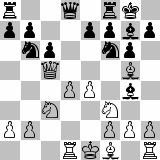
At the end of yesterday’s article I admitted defeat. I’d developed a script to render chess positions, using a suitable font as a source of scalable bitmasks to represent the pieces. Sadly, you could clearly see the board through the pieces, which meant white pieces on black squares looked wrong. I couldn’t see an easy fix.
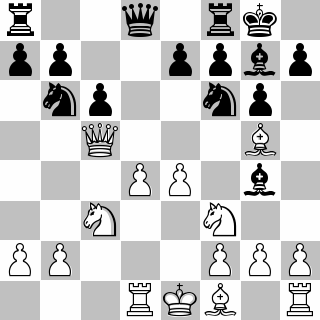
You can make white pieces by drawing a “black” piece in white, then overlaying that with a “white” piece in black.
This is a clever trick which I wish I’d thought of! The redrawn pictures do look better.
We need three more lines of code and comments apiece.
def chess_position_font(fen, font_file, sq_size):
    ....
    for sq, piece in filter(not_blank, zip(sqs, pieces)):
        if is_white_piece(piece):
            # Use the equivalent black piece, drawn white,
            # for the 'body' of the piece, so the background
            # square doesn't show through.
            filler = unichr_pieces[piece.lower()]
            put_piece(sq, filler, fill='white', font=font)
        put_piece(sq, unichr_pieces[piece], fill='black', font=font)
    return board


 Previous Topic