This post originated from an RSS feed registered with .NET Buzz
by Frank Hileman.
Original Post: VG.net 6.2 Released
Feed Title: Frank Hileman's Blog
Feed URL: http://weblogs.asp.net/frank_hileman/rss?containerid=13
Feed Description: Vector Graphics with VG.net, MyXaml, and Visual Studio Integration
The new Center Selection button, in the Drawing Toobar, pans the designer surface to center the selected Elements.
Double-clicking on a Group makes it the Active Group. When a Group is active, double clicking on the background deactivates the Active Group.
You can now make a nested Group the Active Group. The Group can be nested to any depth. Formerly, you could only make a top-level Group the Active Group.
Keyboard shortcuts for zooming and panning.
Use the new PixelSnapMode property, in the RenderAppearance class, to increase the clarity of thin lines, or the edges of rectangles, by snapping points to pixel coordinates. PixelSnapMode values:
None
Absolute: points are snapped to pixels by rounding absolute coordinates.
VectorCenter: a new, unique type of snapping. The Element's Center is snapped to a pixel point. Vectors from the Center to each point are then snapped to a pixel boundary. By snapping vectors rather than points, a small Shape improves its clarity and symmetry.
BoundsAbsolute: the upper left and lower right corner of the Element's Bounds are snapped by rounding their absolute coordinates. Interior points in a Polyline or Path are not snapped.
Visual Basic versions of some samples.
The ThemedRobot and ThemedRobotVB samples, in the Extras package, demonstrate how to use Groups, Rotation transformations, and TransformationReference settings to create a segmented robot arm.
Bug fixes.
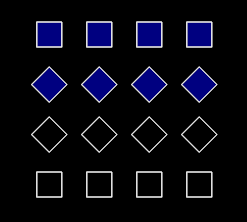
Below are screenshots illustrating PixelSnapMode for small Shapes. First we created Shapes, all the same dimensions, then we zoomed out so the Shapes were no longer naturally aligned on pixel coordinates. From the left to the right, the following PixelSnapMode values were used: None, Absolute, Vector Center. Blown-up versions of the same images are on the second row.
Notice how the VectorCenter PixelSnapMode keeps all small shapes at a consistent size, even though they are positioned at fractional pixel distances from one another. PixelSnapMode has no real benefit for Ellipses or Arcs; it is best for Shapes containing some straight lines. It is useful for larger Shapes as well. Below we show the effect of PixelSnapMode on larger Shapes. On the left is None, on the right is VectorCenter:


 Previous Topic