This post originated from an RSS feed registered with Agile Buzz
by Glenn Vanderburg.
Original Post: Keeping Track of Unimplemented Features
Feed Title: Glenn Vanderburg's Software Blog
Feed URL: http://www.vanderburg.org/cgi-bin/glv/blosxom/Software?flav=rss
Feed Description: Glenn Vanderburg's blog about software development
I started a new Rails project last week. The customer had done an
unusually good job of working out the site look-and-feel ahead of
time, so my first day on the project I grabbed the HTML mockup of the
first page we were going to implement and turned it into a Rails app.
It was still static HTML -- there was no code at all in the
application, and no database yet -- but the page was being rendered by
the new Rails application. I carved the page up into a layout, main
template, and appropriate partials, and got ready to start
implementing features the next day.
But before I called it a day, I had an idea that seemed promising. I
spent about 10 minutes (certainly not more than 15) going through that
HTML looking for anything representing a feature that needed to be
implemented. That meant links and buttons, plus anything that needed
to be generated dynamically. Whenever I found something like that, I
added a CSS class to the markup: "unimpl".
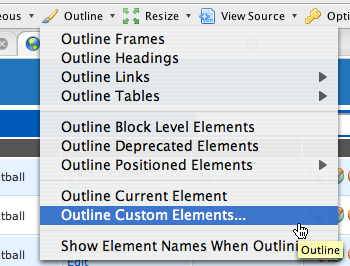
Then, using Chris Pederick's Web Developer Toolbar extension in
Firefox, it became a simple matter to quickly highlight all of the
not-yet-implemented features in the application:
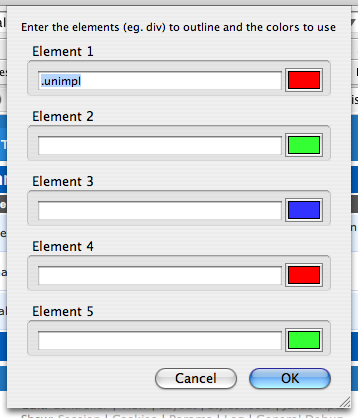
Just use CSS selector syntax in the dialog to select all elements with
class "unimpl":
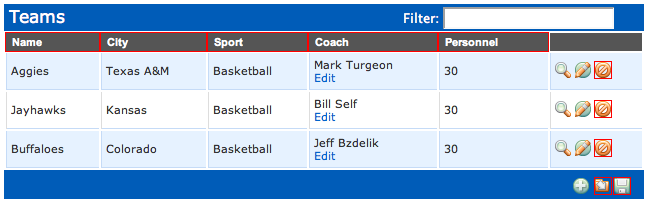
Here's what the result looks like (demonstrated with the Streamlined sample
application rather than my current project):
(By the way, those features are really implemented in Streamlined; I
just marked that application up as an example.)
This provides a great, easy way of keeping track of things that remain
to be done. As I implement those features, I replace static HTML with
generated HTML, and I just delete the "unimpl" class as I go.
Sometimes I partially implement a large part of the page; in that
case, I move "unimpl" from the surrounding element to the individual
pieces inside that I haven't completed yet.
This is no substitute for requirements, or an issue tracking system,
or anything like that. But it's already proven very convenient as I
implement features, trying to decide what's next. It's particularly
nice when I have just a few minutes available … maybe not
enough time to tackle a big feature, but I can quickly scan to see if
there are any small things I could fix.
It takes just a little bit of discipline and consistency
on the part of the development team, but it was really easy to
annotate that first mockup, and now that the layout and commonly used
partials are done, doing subsequent mockups will be even easier.
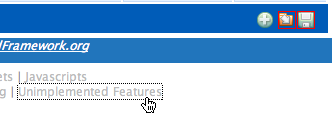
This morning I became annoyed by the three-click process to highlight
those elements using the toolbar (how lazy is that?) so I hacked TextMate Footnotes to add a quick toggle link in the footnotes div at the
bottom of the page:
If you're interested in that, let me know. If it's useful to people, I'll polish it
up and submit it for inclusion in footnotes.


 Previous Topic